Data Sources

Whip to the Bucket
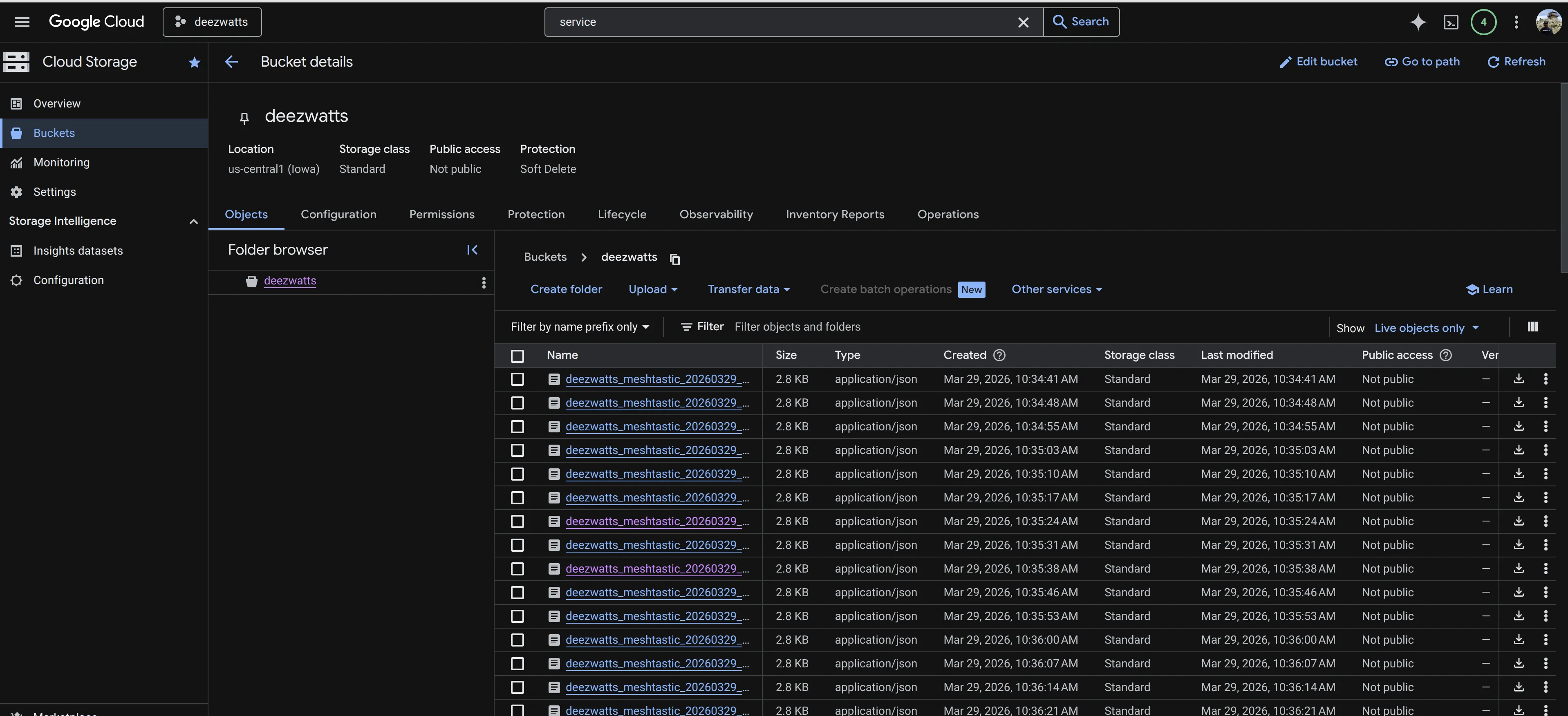
Section titled “Whip to the Bucket”All mining of data for persistence ends up in a cloud storage bucket—the “bronze” layer of our medallion architecture—with actionable insights derived from ingestion into Big Query. This project leverages the Rivian API and Meshtastic libraries to power the experience.
Meshtastic
Section titled “Meshtastic”Maaaannnnnn, meshtastic is a whole other rabbit hole, and has a perfect fit for this project and the Rivian altogether. It’s a mesh network that uses LoRa radios to communicate with other meshtastic devices. It’s like a walkie-talkie, but with GPS and can tether your phone to accomplish it, all off grid. Lower power, longer range, and perfect for that basecamp mentality when your up a hill with your whip at the trailhead.
This year, I really want to be less limited to the Rivian API and be able to leverage any device I can tether to the onboard raspberry pi to create a more robust data collection system, the first of which is to have a rolling meshtastic router, and serial connected client or tracker in the whip itself.
Although for immediate use is the GPS data that is available with an $30 device… we’re looking forward to channel communications with other Rivian owners packing the same Meshtastic or Meshcore devices and coupling this up with good ‘ol nats for pub/sub fun.
meshtastic python library was a great place to start, and I’m looking forward to leveraging it more in the future.
Check out the rivian-geo-meshtastic adventure for more information on how I leverage meshtastic devices for data collection.
Rivian API Spec
Section titled “Rivian API Spec”The Rivian API is a set of endpoints designed by Rivian, to enable communication and interaction between their vehicles and external software applications or systems. This API offers developers a range of functionalities, allowing access to vehicle data such as battery status, charging information, location tracking, and control over certain vehicle functions like locking/unlocking doors or pre-conditioning the cabin. Deez Watts utilizes the API to land the data passively to hopefully create innovative applications, integrations, or services that enhance the owner experience, facilitate fleet management, or provide insights into vehicle performance… or to waste time and money.
Rivian web APIs use GraphQL.
https://rivian-api.kaedenb.org/
We make heavy use of the unofficial Rivian RivDocs API Spec
Rivian Python API
Section titled “Rivian Python API”The Python library of choice for our data adventure is rivian-python-api by @the-mace (https://github.com/the-mace), it has extensive information on security and transparency to limitations. Additionally, it was primarily built off the information in the RivDocs mentioned above and works perfectly for our needs.
Below is a simple example on how to hit the Rivian API for information about your Rivian with the above library. It creates a not so complex json object containing, charging, status information, and owner information.
In 2024, Rivian moved the cheese to require a one time password (OTP), which at first I thought was a pain in the ass, it’s actually easy to work around it using the rivian-python-api library/cli.
I follow the below pattern, and get some good life out of the token, and can regenerate it as needed. Not ideal, but not the worst thing in the world.
Using the Rivian Python API, you can get a pickle file containing the auth info, and then convert it to a json file. Create the pickle file by initiating the login with the rivian_cli
bin/rivian_cli --loginThis is looking for RIVIAN_USERNAME and RIVIAN_PASSWORD in your environment variables, and prompts you for your otp code. Once the code is validated, you now have a rivian.pickle file in your current directory.
Now to use it, I convert the pickle file to a json file that looks similar to a JWT token.
import pickleimport jsonimport os
# The default filename for the-mace library is usually rivian_auth.picklePICKLE_FILE = "rivian_auth.pickle"JSON_FILE = "rivian_tokens.json"
def convert_pickle_to_json():    if not os.path.exists(PICKLE_FILE):        print(f"Error: {PICKLE_FILE} not found.")        return
    try:        # 1. Load the binary pickle data        with open(PICKLE_FILE, 'rb') as f:            data = pickle.load(f)
        # 2. Inspect and Clean (Optional)        # Some objects in a pickle might not be JSON serializable.        # We ensure it's a standard dictionary.        if hasattr(data, '__dict__'):            data = data.__dict__
        # 3. Write to JSON        with open(JSON_FILE, 'w', encoding='utf-8') as f:            json.dump(data, f, indent=4)
        print(f"Successfully converted {PICKLE_FILE} to {JSON_FILE}")
    except Exception as e:        print(f"An error occurred during conversion: {e}")
if __name__ == "__main__":    convert_pickle_to_json()
Then to authenticate with the API, here is a simple example on how I get it done.
import rivian_api as rivianimport osimport json
# Load the tokens from your local JSON filewith open('rivian_tokens.json', 'r') as f:    tokens = json.load(f)
# Initialize the API with the loaded tokens# Note: Depending on your specific library version, you may need to# pass these as keywords or use a specific helper method.rivian = rivian.Rivian()rivian.set_tokens(tokens)
# owner info, grab rivian vehicleidowner = rivian.get_user_information()rivianid = owner['data']['currentUser']['vehicles'][0]['id']print(f'Rivian: {rivianid}')
# status infowhipstatus = rivian.get_vehicle_state(rivianid)
# whip infowhip = rivian.get_vehicle(rivianid)
# charging infocharge = rivian.get_live_session_data(rivianid)
# status is our main dictionary, add the other two keyswhipstatus['whip'] = whipwhipstatus['charge'] = charge
deezwatts = json.dumps(whipstatus)print(deezwatts)
And of course, everything good starts with a bucket.